Hit the Road Dude Meme: Where It Came From and How to Make the AI Pet Version
 Step Into the Scene
The "State? This ain't no state property. Hit the road, dude" meme explained: the 2025 pond video, the October 2026 AI pet remakes, and how to make your own from one photo.
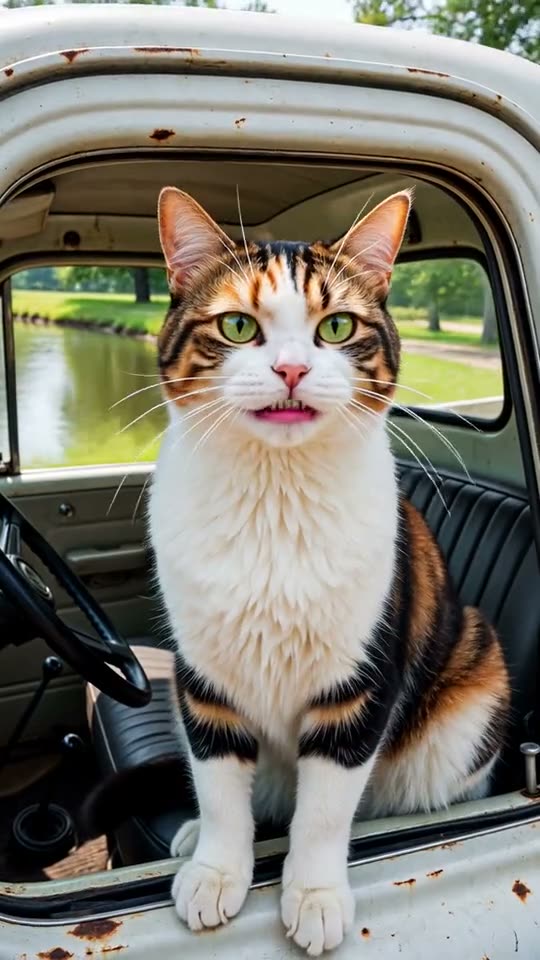
Short answer: "Hit the road, dude" comes from a short TikTok video from August 2025 in which an older man in a white pickup tells two people fishing at a pond that it's private property, not state property. In October 2026 it came back as an AI trend where cats and dogs sit in the driver's seat and say the lines. You can make your own 10-second version with voice from one photo of your pet, a friend (with their OK) or yourself on Step Into the Scene ($2.99, no account needed).
Where does the meme come from?
The original is a shaky phone video filmed from the passenger side of a car. A man in a white pickup pulls up to two people fishing and tells them the pond is private property. The lines that stuck:
- "State? This ain't no state property. This is private property."
- "Hit the road, dude."
After it went viral in August 2025, the audio spread as a TikTok sound and as reaction GIFs, used whenever someone shows up where they shouldn't.
Why is it trending again in October 2026?
In late September 2026, tutorials for AI remakes appeared, and by October pet versions took over: creators recast the driver as their cat in a banana hat or their pit bull in a plaid shirt, keeping the same lines and the same deadpan delivery. Dozens of new remakes are posted every day.
How to make your own version
- Template apps and AI video editors: several apps now offer a "hit the road dude" template. Results and prices vary, and many need a subscription.
- One-photo AI video on Step Into the Scene: upload one photo and get a 10-second vertical clip where your pet or friend sits behind the wheel of an old white pickup, looks annoyed at the camera, says the lines in a gruff voice and points down the dirt road. It's made with the Grok Imagine Video 1.5 Lite model (xAI). Standard (720p) costs 30 credits ($2.99 for one video), HD (1080p) 60 credits, no subscription and no account needed.
Step by step:
- Pick a photo. A clear, front-facing photo works best. Pets are the most popular version.
- Choose standard or HD.
- Wait 2–5 minutes, then download. The clip already has the voice line, in a new synthetic voice (not the original person's).
- Post it to TikTok, Reels or Shorts.
Tips
- Cats with a grumpy face and big dogs work especially well.
- Only use photos of people who agreed to it. Don't use strangers, private people who haven't agreed, or celebrities.
- Our version builds a new scene from your photo. It doesn't use the original footage or the original person.
Caption ideas
- "When the cat finds you on HIS property 🛻"
- "State? This ain't no state property 😾"
- "My dog every time the mailman parks near our house"
FAQ
Does the video have sound? Yes. The character speaks the lines in a new synthetic voice.
Can I use a photo of my friend? Only with their permission.
Is there a free version? Not on our site: one standard video is $2.99. Some template apps have free trials with watermarks.
Which AI model is used? Grok Imagine Video 1.5 Lite by xAI, run through fal.ai. See AI models we use.