How to Make an AI Rap Video From One Photo (2026 Guide)
 Step Into the Scene
What an AI rap video is, the three ways to make one in 2026 (prompt tools, template apps, one-photo generators), step by step instructions, costs, tips for pets and people, and what you are not allowed to do.
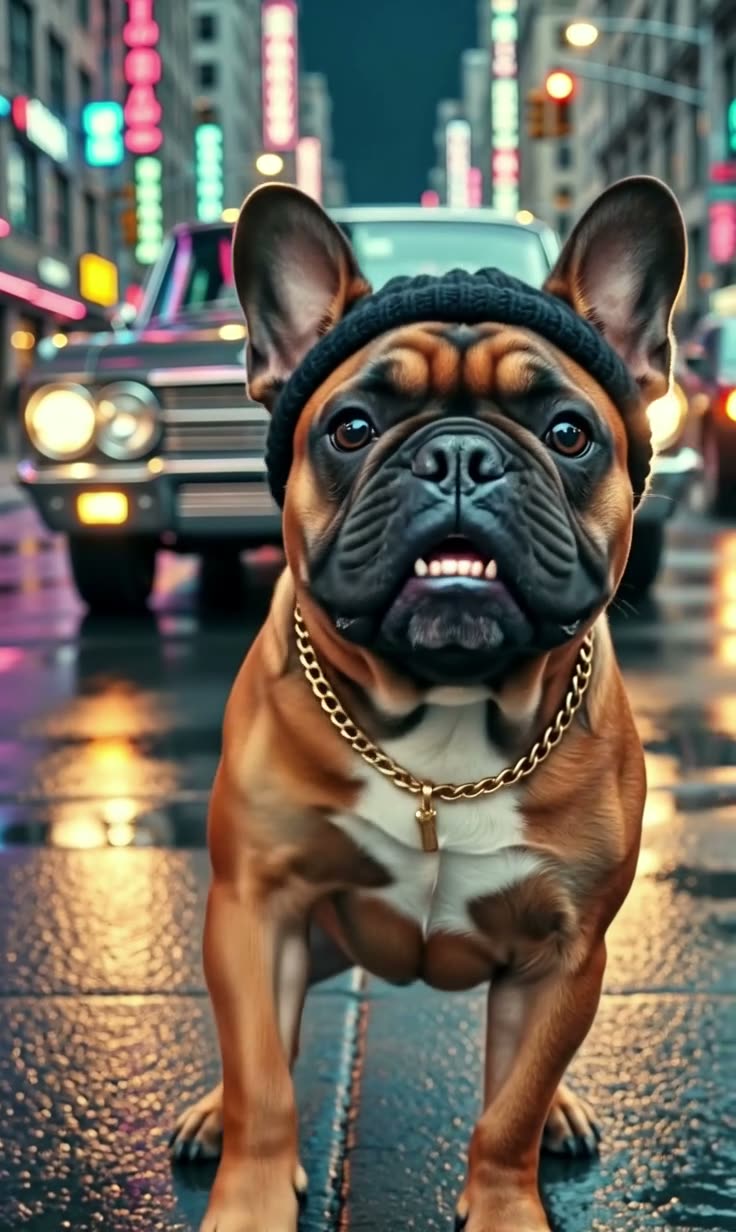
Short answer: an AI rap video is a short clip in which a person or pet from a photo raps to the camera, generated by an AI video model. The fastest way to make one is a one-photo generator: on Step Into the Scene you upload one photo and get a 10-second vertical rap music video with an original beat and rap vocals in 2 to 5 minutes, for $3.99 with no account. Prompt-based AI video tools give you more control but need prompt writing and usually a subscription.
Make your AI rap video now ($3.99, no account) →
Example made with our AI rap video template from an AI-generated photo of a French bulldog.
What is an AI rap video?
It is a music-video style clip where the subject of a photo performs a rap: mouth movement, hand gestures, head nods and a setting such as a night street, a studio or a car, all generated by an AI video model from a still image. In 2026 the best models also generate the sound, so the clip comes with a beat and rap vocals instead of being silent.
People make them to:
- turn their cat or dog into a rapper for TikTok and Reels,
- send a funny birthday or anniversary clip,
- join rap trends like the AI hotel lobby duet or the Bulin 47 freestyle,
- pitch a song idea visually without filming anything.
Three ways to make an AI rap video
| Method | What you do | Sound | Typical effort |
|---|---|---|---|
| Prompt-based AI video tools (for example Dreamina, Veo-based apps) | Upload a portrait, write a prompt describing the scene and the performance, iterate | Depends on the model; often added separately | Highest: prompt writing and several retries |
| Template apps (for example "Rap God" style templates, two-person rap duo apps) | Upload one or two photos, pick a template | Usually a fixed track | Low, but often tied to a subscription or credits system |
| One-photo generator on Step Into the Scene | Upload one photo, pick standard or HD | Original beat and rap vocals, generated with the video | Lowest: no prompt, no account, $3.99 per video |
Prices and features of third-party tools change often, so check each site before you pay.
How to make an AI rap video from one photo
- Choose the photo. One subject, face clearly visible, front-facing or three-quarter view, good light. Waist-up works best for people; a full-body sitting shot works best for pets.
- Open the AI rap video generator and upload the photo. It goes through an automatic safety check first.
- Pick a quality. Standard (720p) uses 30 credits and is enough for TikTok, Reels and Shorts. HD (1080p) uses 90 credits and looks sharper.
- Pay once. If you have no credits, pick a pack: $3.99 for one standard video, $6.99 for two, $14.99 for five or $29.99 for twelve. No subscription. If a generation fails, the credits go back automatically.
- Wait 2 to 5 minutes, then download your 10-second vertical video with sound.
- Post it. Label it as AI. You can keep the clip's beat or add your own track in the app.
Which rap format should you pick?
- Solo rap music video (night street, neon, slow push-in): the AI rap video generator. Best all-rounder, works with people and pets.
- Two-person duet at one mic (orange studio): the AI generated hotel lobby template. Needs one photo with two subjects.
- Street freestyle with a crowd (red lights, portable speaker, dembow beat): the Bulin 47 template.
Tips for a better result
- Clear face, no obstructions. Sunglasses over the eyes, hands on the face or heavy filters make the mouth movement worse.
- Pets: serious face wins. A grumpy cat or a calm dog rapping is funnier than a blurry action shot.
- Outfit sells the vibe. A cap, chain or hoodie fits the music-video look.
- One subject per photo for the solo format; two for the duet.
- HD for your main post, standard for stories and quick tests.
What you are not allowed to do
AI rap videos are only fun when nobody is fooled or hurt:
- Do not use photos of celebrities, famous rappers, politicians or anyone who has not agreed. That is a deepfake, and our acceptable use policy forbids it.
- Do not upload photos of children.
- Do not present the clip as real footage.
- If you add music afterwards, use a track you have the rights to.
FAQ
Is there a free AI rap video generator? Some apps have free trials, usually with a watermark or limited credits. Our generator has no free version: one standard video is $3.99, from $2.50 per video with a credit pack.
Does the AI rap video have sound? On Step Into the Scene, yes: an original trap beat and rap vocals generated together with the video.
Can I write my own lyrics? Not in our one-photo template; the rap is generated with the video. For custom lyrics you need a music tool to make the song and a lip-sync tool to match it.
Can my cat or dog rap? Yes, pets are some of the most shared AI rap videos.
How long does it take? Usually 2 to 5 minutes. You can leave the page and find the video later in "My videos".
Which AI model is used? Grok Imagine Video 1.5 Lite by xAI, via fal.ai.