How to Do the Ghost Filter Prank (AI Version From One Photo)
 Step Into the Scene
The Halloween ghost filter prank explained: where the ghost-behind-you videos come from, three ways to make one (live filter, CapCut, AI from one photo) and tips for a better scare.
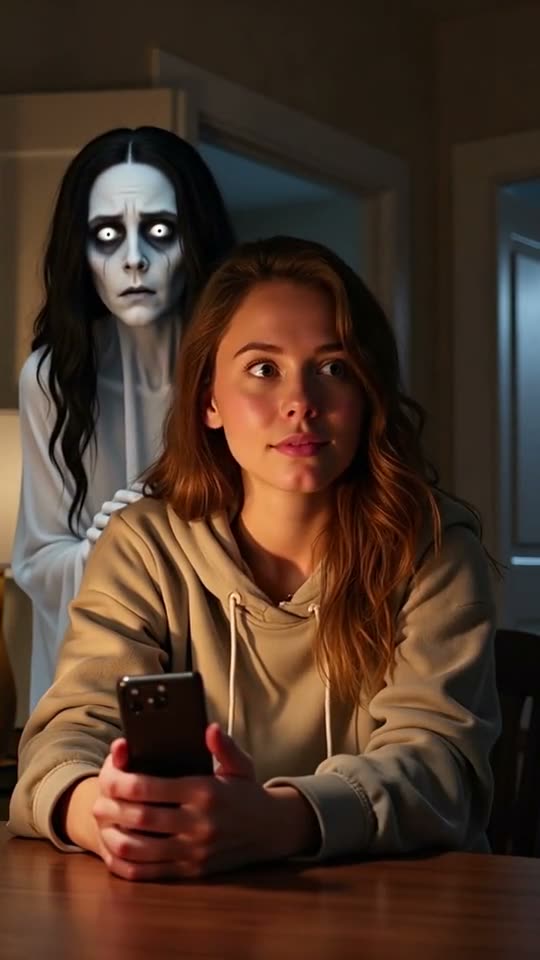
Short answer: the ghost filter prank is a Halloween video where a pale, long-haired ghost slowly appears behind someone who doesn't notice, until they turn around. You can film it live with a ghost filter on TikTok or Snapchat, edit it with a CapCut ghost template, or turn one photo into a 10-second AI video with sound on Step Into the Scene ($2.99, no account). It works with people and pets. Only prank people who are in on it.
What is the ghost filter prank?
Every October, TikTok, Reels and Shorts fill up with clips where a ghost seems to show up behind someone. The usual version: a grey figure with long dark hair and wide eyes leans out of a doorway or peeks over a shoulder, the light flickers, and the person turns around a second too late.
The pet version is just as popular: a cat or dog sitting on the sofa while the ghost creeps up behind it.
Three ways to make it
- Live ghost filter (TikTok or Snapchat): free. You film yourself in real time and the filter adds the ghost. The ghost often looks flat, and you need to act out the scare yourself.
- CapCut ghost template: free. You drop in your own clip or photo and the template overlays a ghost. It's quick, but the ghost doesn't interact with you.
- AI video from one photo (Step Into the Scene): $2.99 per video, 2 to 5 minutes. You upload one photo and get a new 10-second scene where the ghost appears behind you or your pet, leans in, and the subject turns around. It includes eerie sound and a scare at the end. It's made with Grok Imagine Video 1.5 Lite (xAI).
How to make it with one photo
- Pick the photo. An indoor photo with a door, hallway or empty wall behind the subject works best: that's where the ghost appears. One person or one pet per photo.
- Upload and choose a quality. Standard (720p) is enough for TikTok and Reels. HD (1080p) is sharper.
- Wait 2 to 5 minutes. Keep the page open; the video appears when it's ready.
- Download and post. The clip already has sound. You can also add a trending sound in the app.
Tips for a better scare
- A relaxed or neutral face makes the reveal land harder than a smile.
- Dim, warm light (a lamp at night) looks spookier than daylight.
- Pets get the funniest reactions: a photo of your cat on the sofa is a classic.
- Tag it as an AI edit when you post, so nobody thinks it's real footage.
Caption ideas
- "POV: there's something behind you 👻"
- "My cat was staring at the doorway all night. Now I know why."
- "Don't turn around 😶 #ghostprank #halloween"
Is it okay to prank someone?
Only with their OK, using a photo they agree to. Don't use photos of children or of anyone who would be genuinely scared or upset, and don't use it to make someone believe something false happened. See our acceptable use policy.
FAQ
Is there a free way to do it? Yes: live filters on TikTok and Snapchat and CapCut templates are free. The AI version costs $2.99 per video.
Does the AI video have sound? Yes, eerie ambience and a scare sound at the end.
Does it work with cats and dogs? Yes. Use a clear photo of one pet.
Which AI model makes it? Grok Imagine Video 1.5 Lite by xAI, run through fal.ai. See AI models we use.